 Reddate TV
Android TV · early test build
Watch together. Pick up exactly where you left off.
Reddate TV invites your whole household in one press, remembers the stream you like, and resumes from the same provider.
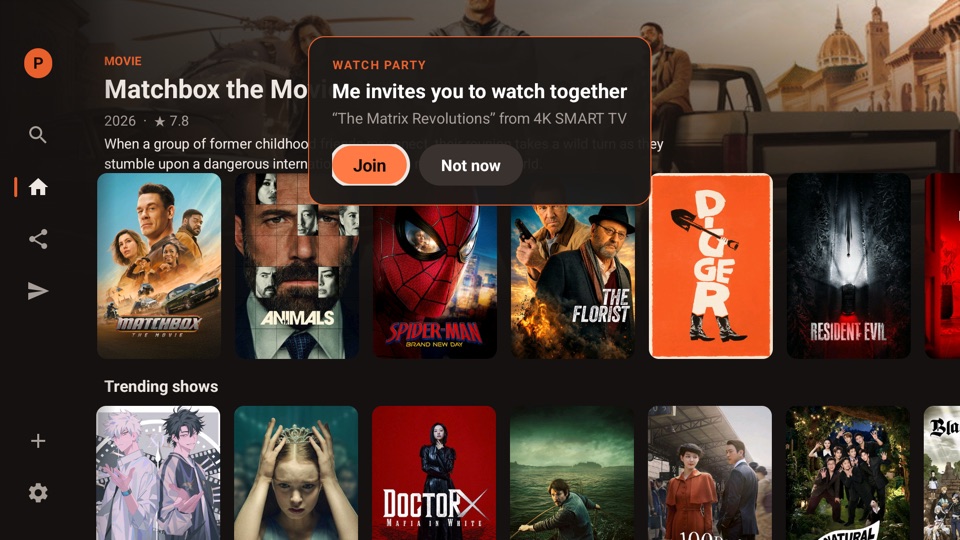
25 seconds. The dialog, invite pop-up and “Same as last time” are the real app; the chat is a dramatisation.
Watch parties
Invite a profile, a TV, or everybody.
Start a party and invite one profile on your account, or all of them at once. A pop-up appears on the other TV: Join, or Not now.
- Friends outside your account join with a short code. The host doesn't have to approve anyone.
- No limit on how many people can join.
- The host drives play, pause and seek. A guest can pause on their own and press Sync to jump back.
- Subtitles and audio language are chosen on each screen.
It remembers
Pick your stream once. Never scroll through a hundred again.
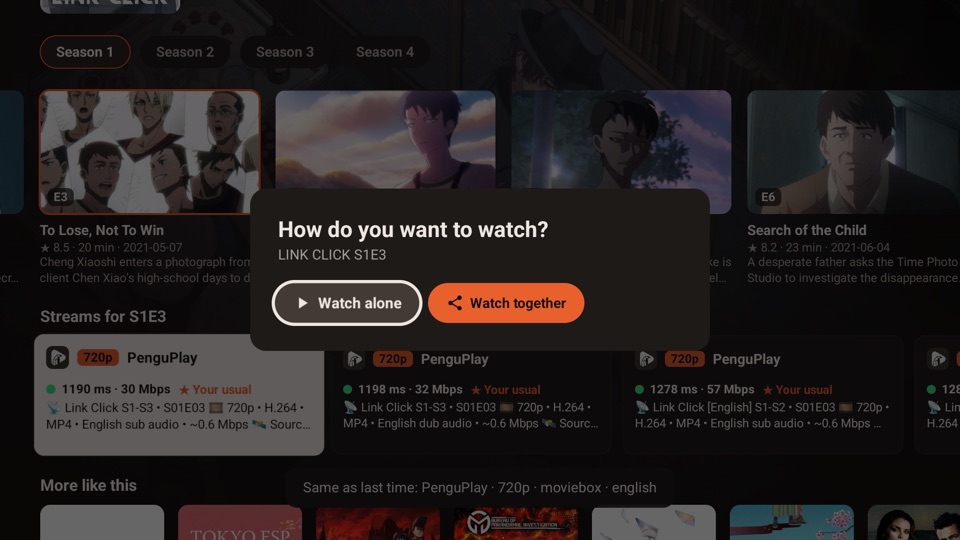
Reddate TV remembers the addon, quality, source, language and format you chose for a show. The next episode, the one after that, and tomorrow's resume all start the same kind.
You see it marked ★ Your usual, with the message "Same as last time".
Continue watching
Same spot. Same provider.
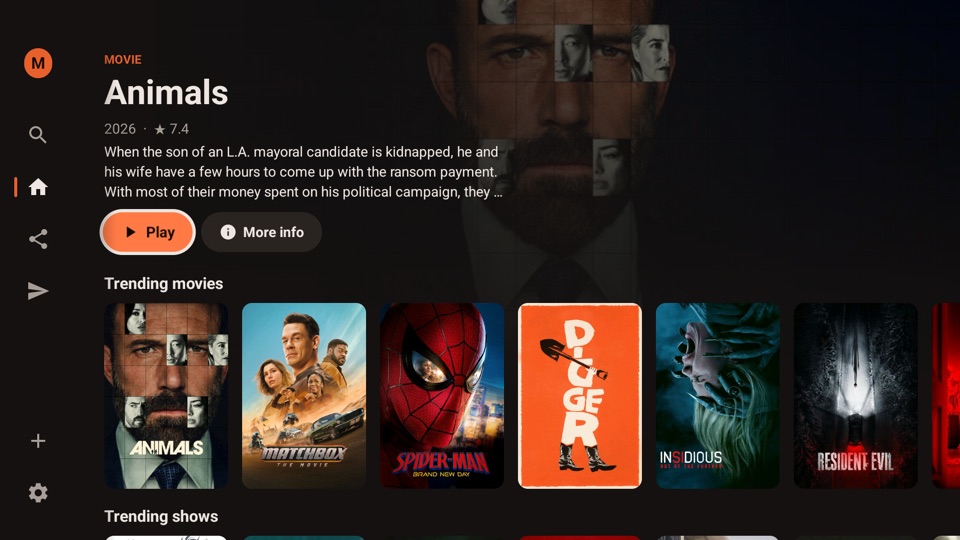
Your Continue watching row keeps the exact stream you used. Press OK and it resumes where you stopped, from the same addon and quality, and moves on to the next episode when this one ends.
Every profile has its own row.
Your addons
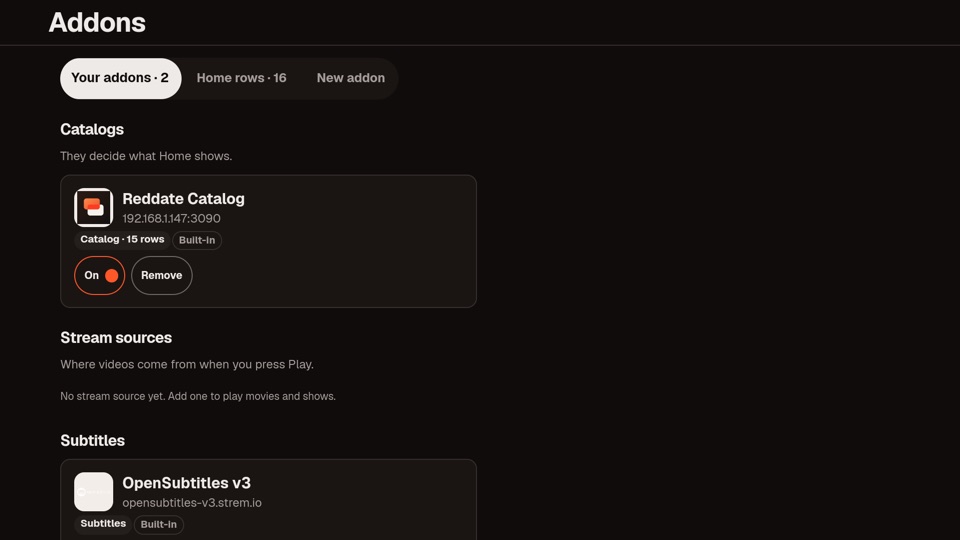
You choose what's on Home and where streams come from.
Add catalog addons for your rows and stream addons for playback. Each one shows its logo on its streams, so you always know who a stream came from.
Know before you press
A connection check on every stream.
Each stream is tested on your TV's own connection. Green means plenty of headroom, yellow means just enough, red means it will probably buffer. The best ones come first.
Download
Reddate for Android TV
Version 0.2.0 · 8.9 MB · early test build, not on the Play Store.
Signed with Reddate's release key. SHA-256: 338830c250d37b91d28147d13e8a0c1177448f6ea6f6ccefe3762ab032dee943
- Needs Android TV or Google TV, Android 6 or newer
- Package
xyz.reddate.tv - Account A Reddate account, signed in with your phone
- Updates Install the new file over the old one; your profiles stay
Install with the Downloader app
The easiest way to put a file on a TV without a computer.
- Get DownloaderInstall Downloader (by AFTVnews) from your TV's app store. It's free.
- Type the addressOpen it, choose the URL box, and enter
tv.reddate.xyz/get, then press Go. - Allow the installWhen Android asks, allow Downloader to install apps, then press Install.
- Open Reddate TVScan the code on the TV with your phone's camera and sign in there. Then add a catalog and a stream addon.
tv.reddate.xyz/get
Type this into Downloader's URL box. It's short on purpose, so it's quick to enter with a remote.
USB or your computer
Copy reddate-tv.apk to a USB stick, or with ADB: adb install reddate-tv.apk.
Join a party in the browser
Join with a code to watch and chat, or open the web app.